Sale Flyer Item Maintenance
Use this utility to make changes to a specific item's currently (applied) sale pricing. This avoids potential issues caused by deleting an entire sale or attempting to reapply new sale pricing to replace the old data.
To modify the sale price entries of an existing item:
1. From the Main Menu, choose Inventory > Utilities > Maintenance > Sale Flyer Item Maintenance.
2. From the Item list, choose the item you want to apply the new sale price to.
If the item has current sale pricing (that is currently in effect), it displays.
3. Continue based on the change you want to make:
-
If you want to change the dates or the pricing of the current sales flyer, modify these entries in the fields provided.
-
If you want to add an additional sales event for the same item, enter the new start and end dates in the fields provided and the pricing for the item in the Price column. Any item can have a maximum of two concurrent applied sales.
-
If you want to delete the sale pricing for the selected item, clear the dates and pricing fields for the item.
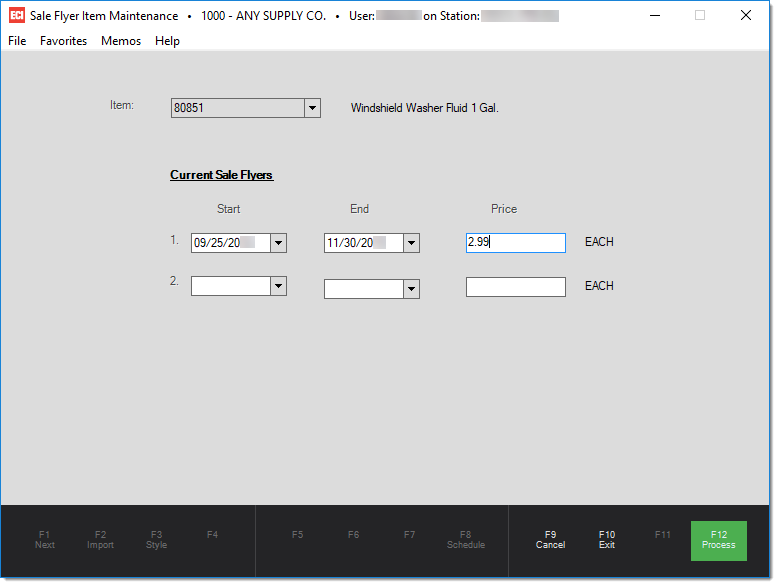
4. When the changes are compete, choose the Process (F12) function key to save/complete your changes before closing the form.